How to Choose the Best Compact MIDI Keyboard for Home Music Production
Discover how to select your first MIDI keyboard for home music production. Learn about essential features, top beginner picks, and tips for seamless setup. This guide covers everything new beatmakers need to confidently start creating music.

Creating music at home no longer requires bulky studio equipment. However, the question of how to choose a MIDI keyboard arises for every beginner beatmaker early in their journey. This compact gadget serves as the main link between your creative ideas and your music software, allowing you to quickly lay down melodies and program drum patterns.
Modern compact models fit easily on your desk next to your laptop and give you hands-on control over your track creation process. In this guide, we'll break down the key technical features of portable controllers, figure out which controls are truly essential for beginners, and take a closer look at the best devices for a confident start.
Why Do You Need a MIDI Keyboard for Home Music Production?
A MIDI keyboard isn't a musical instrument in the traditional sense-it doesn't make any sound on its own. Instead, it's a controller that sends digital commands (MIDI messages) to your computer, essentially becoming the "hands" of your DAW (Digital Audio Workstation).
- Speed of creativity: Playing notes lets you instantly hear melodies, basslines, or chords, helping you capture the vibe of your track in seconds.
- Dynamics and expressiveness: Unlike clicking in notes with a mouse, pressing keys transmits velocity, making virtual instruments sound more lively and natural.
- Interactivity: Many compact models let you control synth parameters (filters, volume, effects) in real time, turning beatmaking into a true performance.
For a beginner beatmaker, a MIDI keyboard is the physical bridge that turns dry "music programming" into an intuitive and creative process.
What to Look for When Choosing Your First MIDI Keyboard
With so many controllers on the market, beginners can easily get lost in technical specs. The main rule: your gadget should fit your needs without cluttering your workspace with unnecessary features.
Make sure you consider which software you plan to use. Many manufacturers closely integrate their hardware with specific DAWs. If you haven't chosen your main software yet, check out our complete guide to the best music production and audio editing software for 2025.
Number and Feel of Keys: Why 25 Keys Is the Go-To Starter Choice
For a home studio and beatmaking, 25 keys (two octaves) is the gold standard. A compact MIDI keyboard easily fits in front of your monitor and slips into a regular backpack.
This range is enough to play basslines, catchy melodies, or basic chords with one hand. Special octave shift buttons on the body let you reach higher or lower notes as needed.
Mini models typically feature synth-action (unweighted) keys-they're light to the touch and spring back quickly. This is perfect for electronic music, where fast response matters more than the feel of a traditional piano.
Extra Controls: Pads, Encoders, and Modulation Wheels
Any beginner MIDI keyboard becomes much more useful if it features additional controls, transforming it into a true studio hub.
- Pads: Rubberized squares above the keys are essential for finger drumming and triggering samples. They respond to velocity, helping your drum patterns sound dynamic and lively.
- Encoders ("knobs"): These let you tweak synth filters, track volume, or panning directly from the device, keeping your hands off the mouse.
- Modulation and pitch bend wheels/strips: Add expressive bends and modulations, making synths sound more aggressive or emotional.
Top 3 Compact MIDI Keyboards for Beginners
Once you know the basics, it's time to pick a model. The best budget MIDI keyboard combines reliable build quality, responsive keys, and a strong software bundle so you can start making music right out of the box.
Here are three of the most popular and time-tested controllers, ideal for starting your home studio:
Arturia MiniLab 3 - Best All-Rounder
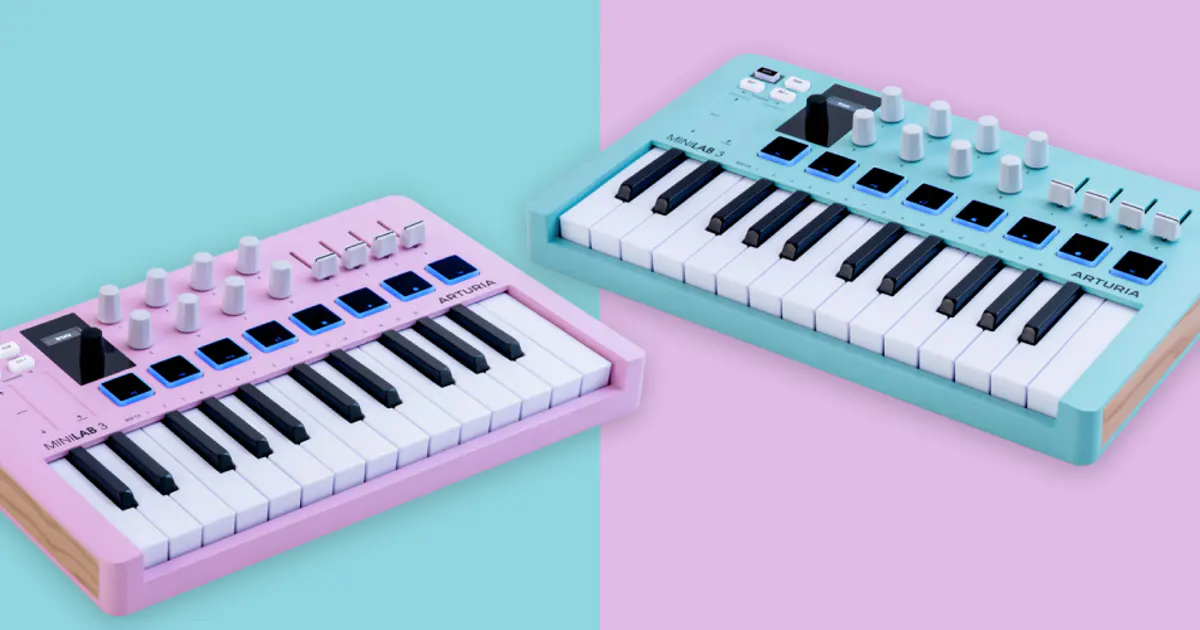
The Arturia MiniLab 3 stands out for its premium build and sleek design. Its keys are slightly heavier and feel better than most competitors in this price range, letting you play more expressively.
The highlight is a small OLED screen and a clickable encoder, letting you switch synth presets directly from the controller-no mouse needed. There's also a full-sized MIDI out port for future hardware synth integration.
The included Analog Lab Intro software gives you hundreds of vintage synth presets, making this keyboard a great pick for atmospheric electronic music.
Akai MPK Mini MK3 - Classic Choice for Beatmakers
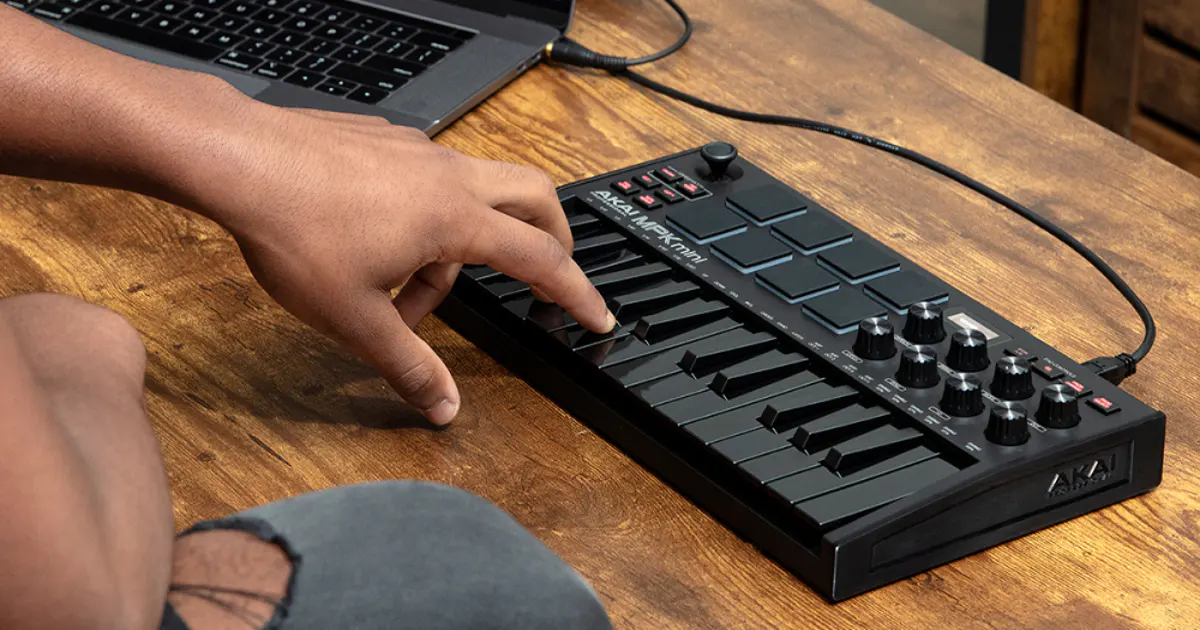
If your main goal is producing hip-hop beats and punchy drums, the Akai MPK Mini MK3 is the top choice. It features the best, most responsive pads in its class, borrowed from Akai's legendary MPC series.
Instead of standard modulation and pitch wheels, it uses a unique 4-way joystick, saving space and boosting portability-it fits in a backpack with a 13" laptop.
Akai's keys are a bit smaller and stiffer than Arturia's, so it's less suited to intricate piano parts. But for quick sketches, basslines, and percussion, it's an unbeatable tool.
Novation Launchkey Mini MK3 - Perfect Companion for Ableton Live
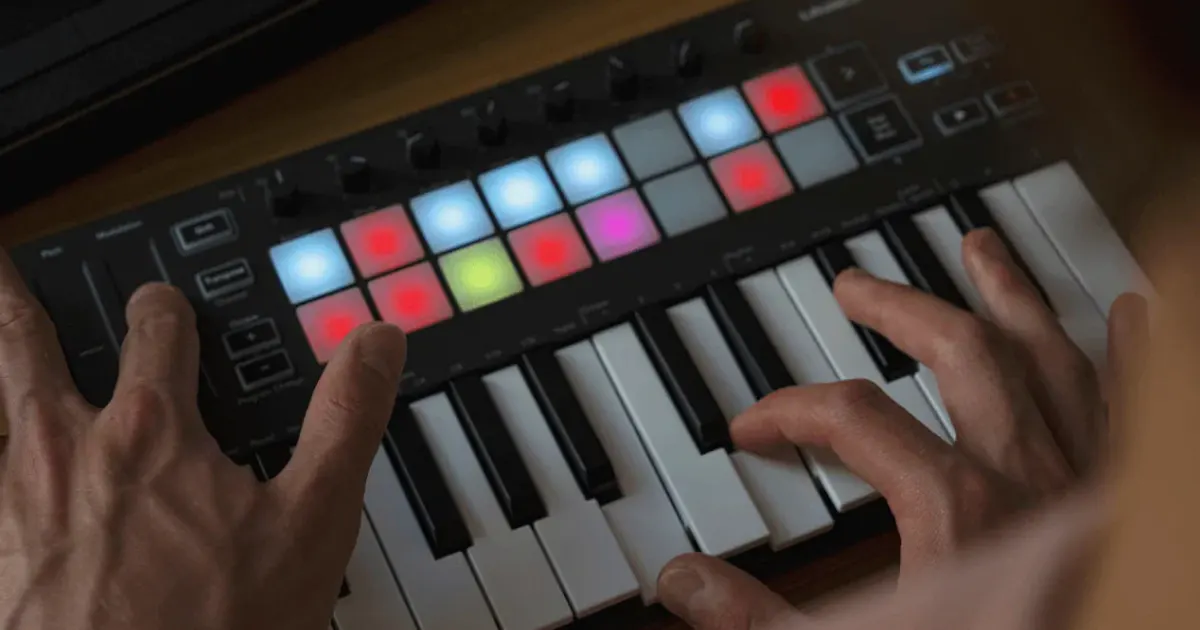
This controller was developed in close collaboration with Ableton Live's creators, so its integration with the DAW is flawless. It automatically maps its controls to Ableton's parameters as soon as you plug it in.
There are 16 pads on the body-slightly smaller than Akai's, but their number makes launching clips and scenes in Ableton's session view a breeze, turning track creation into a live performance.
Other standout features include a powerful built-in arpeggiator and chord generator-perfect for beginners who haven't fully learned music theory but want beautiful, melodic results.
How to Properly Connect Your MIDI Keyboard to a PC or Laptop
Modern portable controllers are designed to be as user-friendly as possible. Connection is via a single USB cable (usually Type-C or Type-B), which also powers the device-no external adapter needed.
Both Windows and macOS detect the keyboard automatically thanks to Plug and Play technology. Just open your music software, go to MIDI device settings (Preferences/Settings), and enable your keyboard as the input device.
Sometimes beginners experience audio latency-a delay between key press and sound. On Windows, this is solved by installing the free ASIO4ALL driver. For zero-latency and high-quality sound, consider an external audio interface. Learn more in our guide to professional audio interfaces.
Conclusion
A compact MIDI keyboard is the first and most important upgrade for your home studio, instantly transforming your beatmaking workflow. A 25-key model covers almost all beginner needs without taking up much space or requiring a big investment.
Your choice depends on your main goals: Ableton Live fans should check out Novation; those who love hard-hitting drums will appreciate Akai's top-notch pads; and if you want versatility, great key feel, and a vintage synth bundle, go for the Arturia MiniLab 3.
FAQ
Do I need a MIDI keyboard for music production or is a mouse enough?
You can write hits with just a mouse, drawing notes in the editor. But a controller speeds up the process dramatically, lets you play chords with dynamic touch, and turns melody creation into an intuitive, creative flow instead of dry math.
Which MIDI keyboard should I buy for FL Studio?
FL Studio works well with any controller, but the Akai MPK Mini MK3 and Novation Launchkey Mini MK3 offer the best integration. Special scripts let you control the mixer and effects right from the hardware knobs.
Is buying an audio interface required for connection?
No, you don't need an audio interface just to send MIDI to your PC-the device connects straight to USB. You'll need an interface later if you want to record vocals, guitar, or use professional studio monitors.