The Ultimate Guide to Mobile Gaming Controllers: Boost Your Smartphone Gaming
Mobile gaming controllers transform your phone into a true gaming console, delivering better control, comfort, and a full-screen experience. Learn how to choose the right gamepad, top models to consider, and setup tips for both Android and iOS devices.

Mobile gaming controllers have become essential accessories for anyone looking to turn their smartphone into a true gaming console. As mobile games have evolved from simple puzzles and arcades to full-fledged PC ports, battle royales, and demanding open-world action titles, the right gamepad for your phone can make all the difference. With a quality controller, you can enjoy precise control without fingers blocking the screen or inaccurate swipes, immersing yourself in every movement and action.
Why Use a Gamepad for Your Phone: Unlocking New Mobile Gaming Experiences
Touchscreens are fine for casual games, but when it comes to shooters, fighting games, or platformers, they fall short. Physical controllers solve the problem of missing tactile feedback-allowing you to feel every stick movement, bumper press, and button click for a significant advantage in competitive matches.
Gamepads for smartphones dramatically improve visual clarity during gameplay. Hands no longer obstruct the view, and on-screen controls don't hide important details. The entire display stays visible for better situational awareness.
Modern processors now deliver console-level graphics on mobile devices. If you want a phone that handles even the most demanding titles, check out our Top 5 Gaming Smartphones for 2025: Best Models for Gamers for the perfect foundation for your setup.
Beyond better control, physical gamepads significantly reduce hand fatigue during long sessions. Ergonomic designs keep your wrists relaxed and prevent finger strain.
Main Types of Mobile Gaming Controllers
The accessory market offers several form factors, each catering to different preferences and gaming habits. The best choice depends on your favorite genres and where you plan to play most often.
Telescopic Gamepads (Nintendo Switch Style)
These controllers feature a sliding design where your phone is inserted horizontally in the middle, placing the screen dead center between two halves with buttons and sticks-effectively turning your device into a portable console.
Key benefits include perfect weight balance, so your hands stay comfortable even after hours of play. Telescopic models are particularly handy for gaming on the go or lounging on the couch.
Classic Controllers with Phone Mounts
These full-size gamepads look and feel like traditional Xbox or PlayStation controllers. The phone is clipped above the controller using a dedicated mount.
They offer superb ergonomics and familiar button sizes, but the phone's weight above the controller shifts the center of gravity, requiring a firmer grip during intense moments.
Gamepads for Tablets (iPad and Large Android Devices)
Large tablets require a different approach, as most telescopic mounts can't stretch to fit 10- or 12-inch screens (except for compact models like the iPad Mini).
The optimal solution is a classic gamepad paired with a stand or case. Simply set your tablet on a table and play with the controller in hand, recreating the home console experience.
How to Choose a Gamepad for Your Smartphone: Key Features
To ensure your accessory works flawlessly and doesn't cause setup headaches, consider your device's technical specs before buying. Getting the wrong connection type or compatibility can render the gadget useless.
OS Compatibility: Android and iPhone Controllers
Different operating systems handle peripherals in unique ways. A good Android controller is usually recognized as a standard input device, with most modern models supporting the HID profile for native in-game compatibility.
For iPhone, prioritize controllers with MFi (Made for iPhone) certification, though recent iOS versions also support standard Xbox and PlayStation controllers. Always check the manufacturer's compatibility details to avoid connection issues.
Connection Type: Bluetooth vs Type-C / Lightning
Wireless controllers offer flexibility and let you play from a distance, but Bluetooth introduces minor input lag and requires regular charging.
Direct-connect models (Type-C or Lightning) deliver zero input lag, crucial for esports and competitive shooters. They draw power directly from your phone, so you don't need to charge the controller separately.
Ergonomics and Stick Quality (Vital for PUBG Mobile and Shooters)
Precision matters most in competitive shooters. Cheap sticks often suffer from "dead zones," making fine aiming impossible.
For serious gaming, look for controllers with high-quality potentiometers or Hall effect sensors. Hall sensors use magnets, never wear out, and eliminate stick drift for good. Analog triggers are also a plus, especially for racing games.
Popular Mobile Gamepads: Top Picks This Year
The mobile peripherals market is ever-changing, but a few standout models consistently deliver the best blend of quality, ergonomics, and compatibility.
-
Backbone One
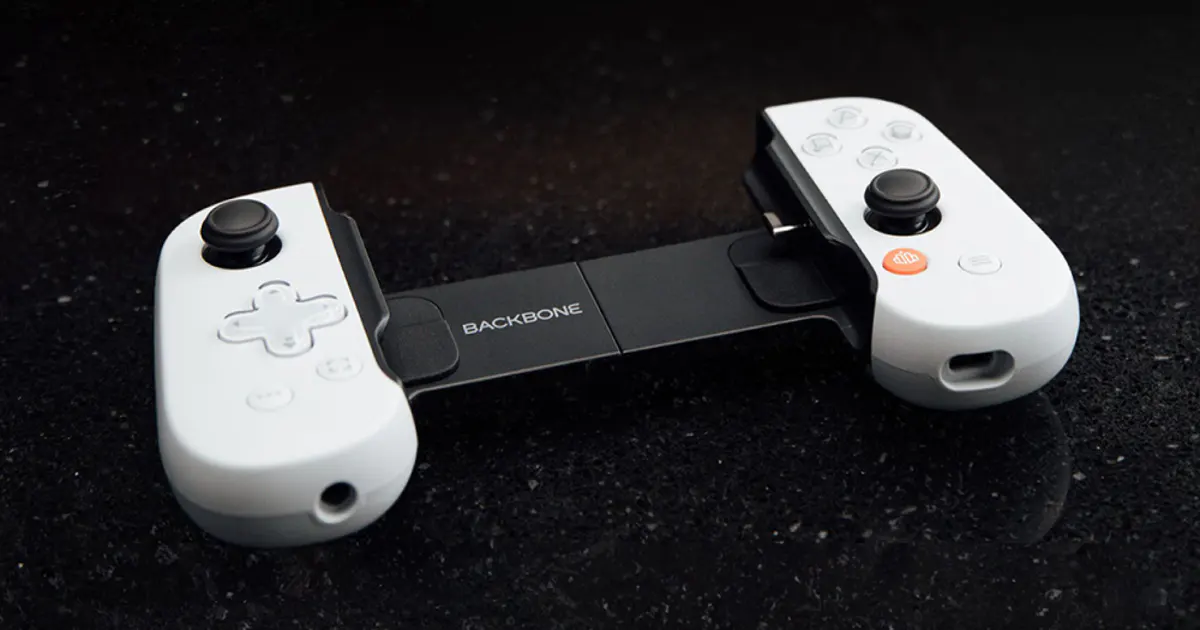
One of the most popular telescopic controllers, available in Lightning (for older Apple devices) and Type-C (for Android and newer iPhones). Its signature app brings all your games and cloud services into a single console-style interface.
-
GameSir G8 Galileo (and X2 Pro Series)
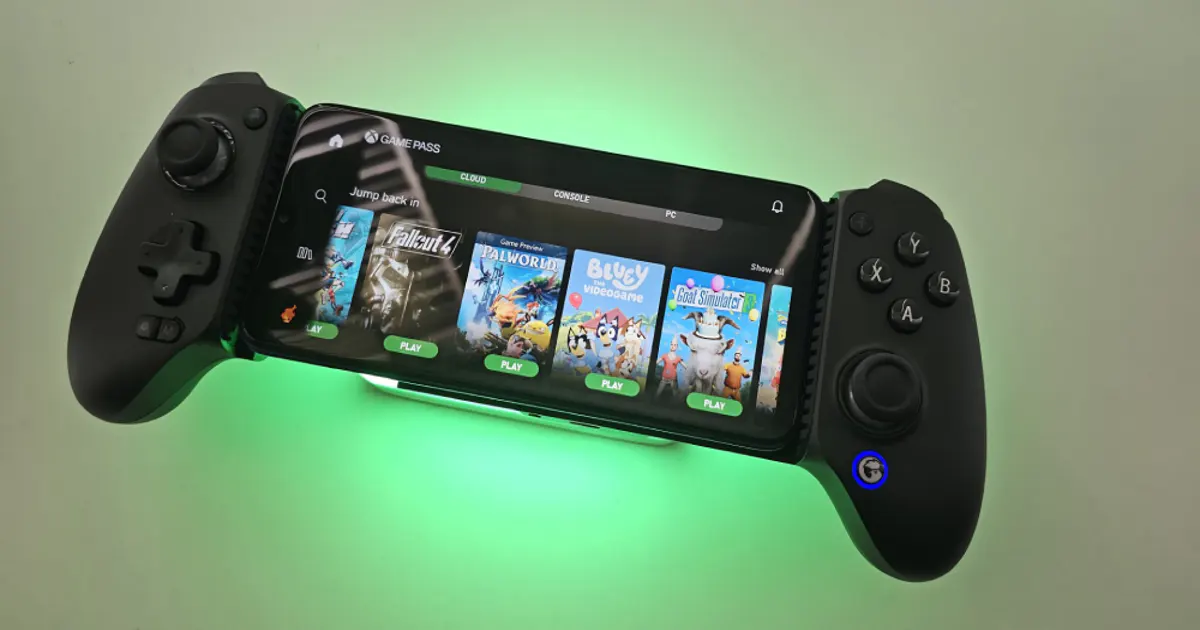
Perfect for those seeking a true "console grip" on mobile. Unlike slim models, the G8 features large handles and Hall effect sticks-meaning zero stick drift over time.
-
Razer Kishi V2 / V3 Pro
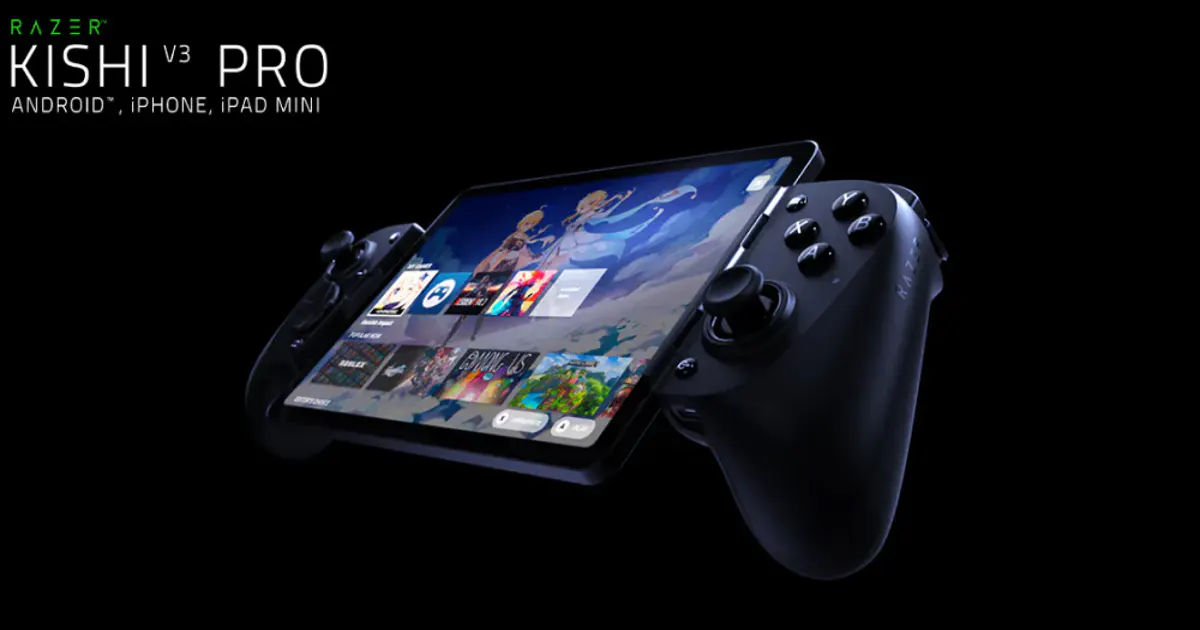
A premium line of direct-connection controllers. Their buttons use micro-switches (like a computer mouse) for incredibly fast, precise response-ideal for fast-paced action games.
-
Original Xbox Wireless Controller and PlayStation DualSense
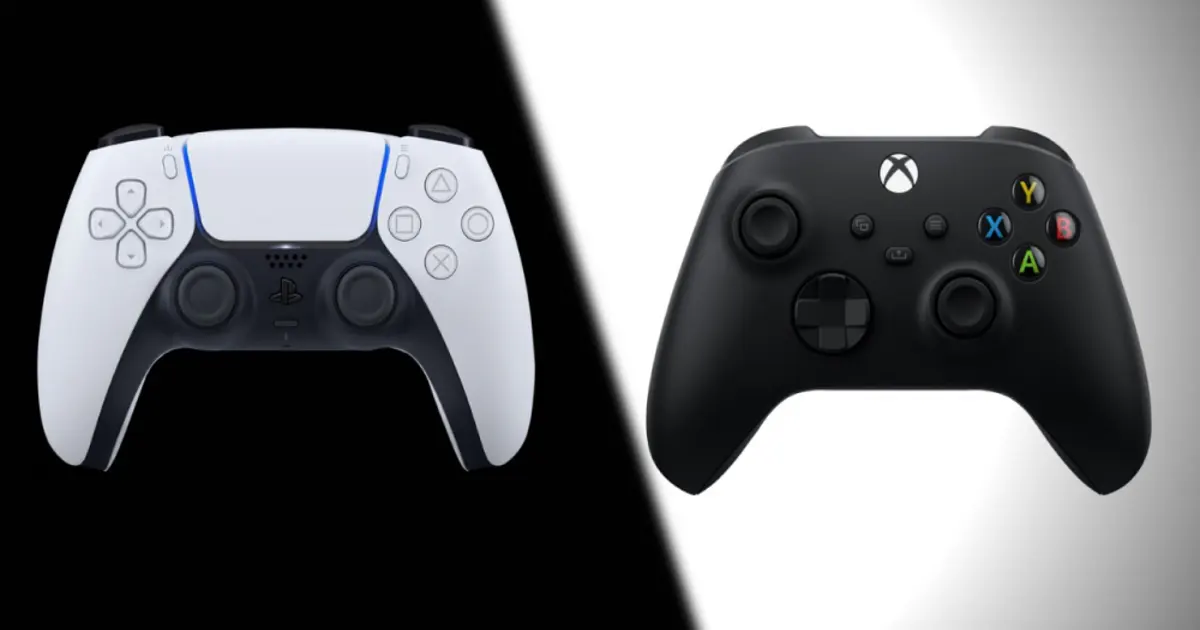
Classics for tablet users or those who don't mind buying a phone clip. These tried-and-true Bluetooth controllers deliver top-notch build quality and are natively supported by iOS and Android, no extra setup needed.
How to Connect a Gamepad to Your Phone: Step-by-Step Guide
Pairing modern controllers with your smartphone takes less than a minute and is similar to connecting wireless headphones or smartwatches.
Bluetooth Connection
- Put your controller into pairing mode. On Xbox controllers, hold the sync button on top; on PlayStation DualSense, hold PS and Create until the indicator flashes quickly. For third-party devices, usually hold the Home button or use a dedicated switch.
- Open your phone's Bluetooth settings and search for new devices.
- Select your controller from the list and wait for a confirmation message. The controller's LED should stay lit.
Wired Connection and Button Mapping
Gamepads with direct Type-C or Lightning connectors don't need extra setup. Just plug your phone into the connector and your OS will instantly recognize the new input device-no signal drops or extra charging required.
Problems arise if your chosen game doesn't natively support controllers. In such cases, mapping apps let you overlay a virtual grid on the screen and assign physical buttons to specific touch zones.
What to Play: Games with Gamepad Support on Android and iOS
The App Store and Google Play feature a huge selection of titles with built-in controller support. In hits like Call of Duty Mobile, Minecraft, Dead Cells, or GRID Autosport, the interface automatically switches to console prompts as soon as you connect a gamepad.
Apple users have an edge with Apple Arcade, where most releases are optimized for controllers. Android's ecosystem is more open, but may require manual control tweaks for demanding cross-platform RPGs.
With a controller, your phone goes beyond mobile entertainment, running even heavy desktop games. To further expand your library, check out our guide on Cloud Gaming: How to Play Modern Games Without a High-End PC. Cloud streaming shifts all the heavy lifting to remote servers, letting you enjoy top titles with familiar controls.
Conclusion
Buying a physical controller transforms your approach to mobile gaming, blurring the line between handheld consoles and smartphones. No more blocked screens or missed taps. For gaming on the go and maximum wrist comfort, choose telescopic models. If you're playing at home or using a large tablet, a classic controller with a stand is your best bet. Always check OS compatibility before purchasing and opt for direct Type-C or Lightning connections if you're into competitive shooters and want zero lag.
FAQ: Frequently Asked Questions
Can I connect a PS or Xbox controller to my smartphone?
Yes. Official controllers (DualShock 4, DualSense, Xbox Wireless Controller) pair easily with smartphones via Bluetooth. Modern iOS and Android versions have built-in profiles for these devices, so they work right away without extra software.
What's the input lag with a Bluetooth gamepad on a tablet?
Devices with Bluetooth 5.0 and above keep lag to about 10-15 milliseconds. For RPGs or single-player experiences, this delay is unnoticeable. However, for esports where every split second counts, direct connection is more reliable.
Do all mobile games support gamepads?
Many popular titles-like Call of Duty Mobile, Minecraft, and Dead Cells-have native gamepad support. If a game doesn't, you'll need a button mapping app to assign touches to specific areas of the display.